Automated Expense Tracker with Telegram and n8n
Log expenses from everyday Telegram messages and receipt photos. The workflow handles parsing, categorization, sheet entry, receipt archiving, and confirmation replies, turning casual chat inputs into organized spending data for better decisions.
Live Simulation
Simulate text parsing, receipt OCR, Sheets append, Drive upload, and Telegram reply.
Console Output
IdleSheet Rows Preview
0 rows| Tanggal | Nominal | Kategori | Deskripsi | Sumber | Result |
|---|
How It Works
Key workflow logic adapted from the imported n8n JSON.
const msg = body?.message || body?.edited_message;
const chatId = msg.chat?.id?.toString() || "";
const type = msg.photo ? "photo" : "text";
const text = msg.text || msg.caption || "";
const allowed = ALLOWED.includes(chatId);{
"tanggal": "YYYY-MM-DD",
"nominal": 0,
"kategori": "Makan",
"deskripsi": "",
"toko": ""
}Sheets.append(row);
Telegram.sendMessage({
chat_id: chatId,
parse_mode: "Markdown",
text: confirmationText
});Key Features
Telegram-first Input
Users can send casual Indonesian expense notes or upload receipt photos directly from chat.
AI Parsing
Gemini converts messy text and receipt OCR into a consistent JSON expense schema.
Sheets Ledger
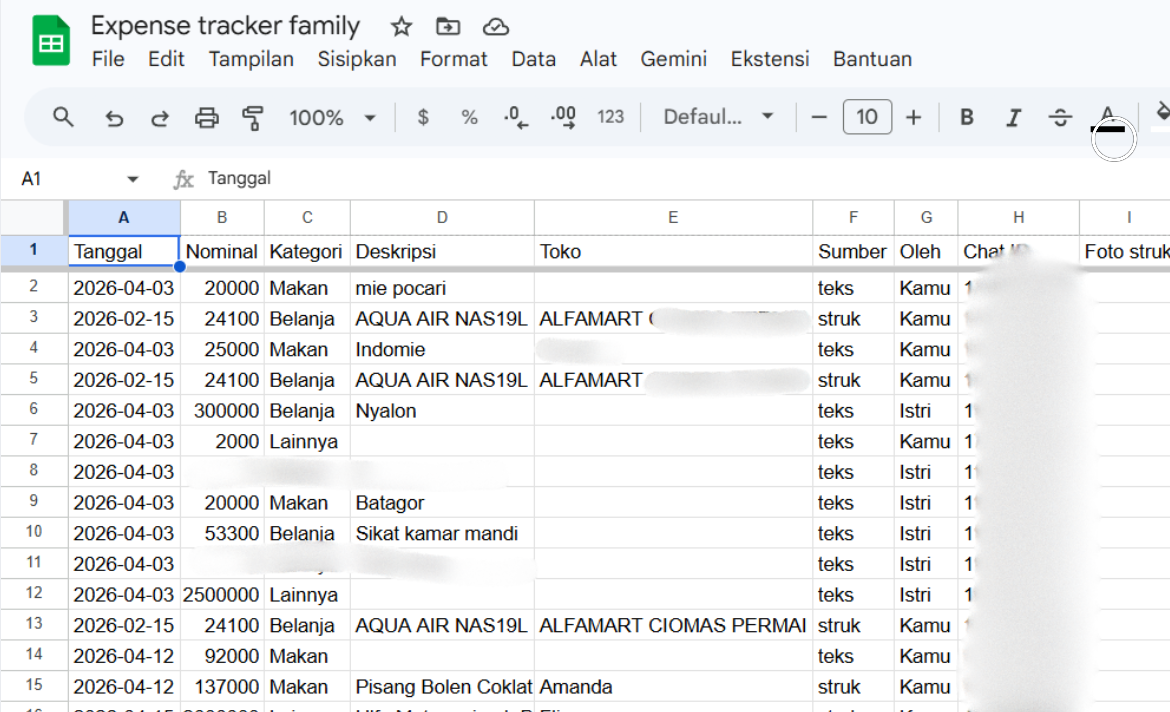
Every successful parse appends date, amount, category, description, source, owner, and receipt link.
Drive Archive
Receipts for bill and health categories can be saved to Drive for reimbursement or audit trails.
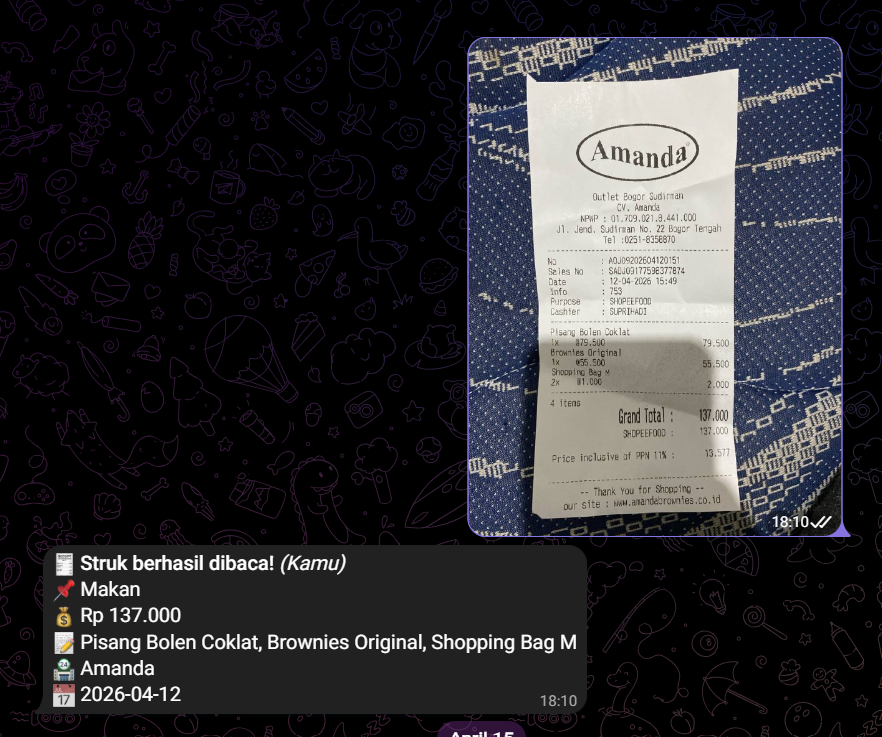
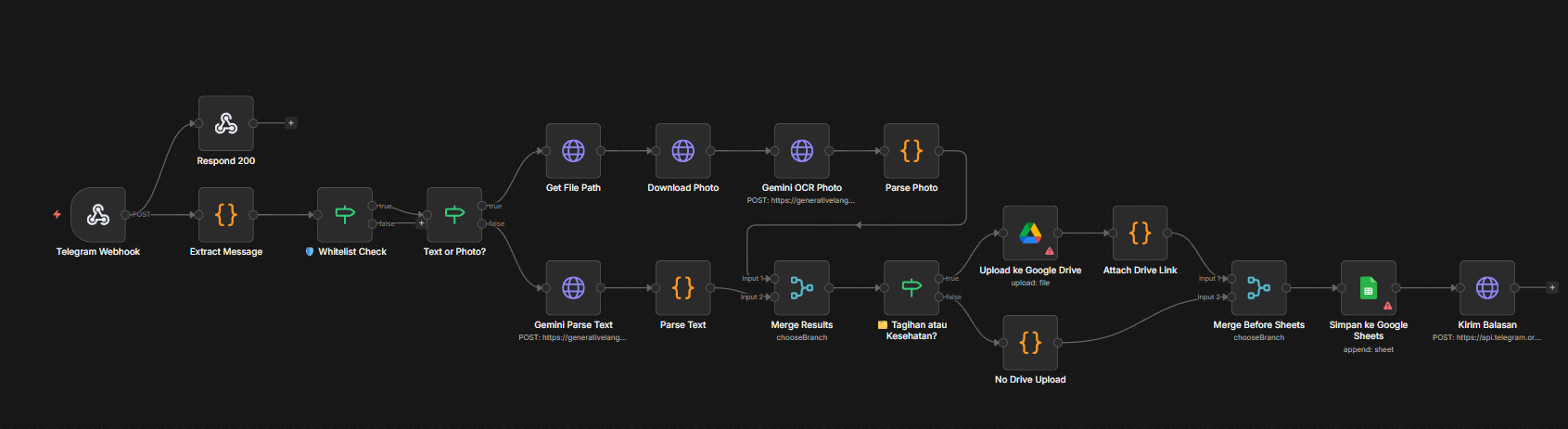
Real Workflow Screenshots
Actual Telegram reply, Google Sheets ledger, and n8n canvas from the working automation.
Demo Safety & Setup Notes
This live demo uses mock data and a sanitized n8n template. It does not call Telegram, Gemini, Google Sheets, Google Drive, or n8n.
No live credentials are included
The downloadable n8n workflow is a template. Users bring their own Telegram bot token, Gemini API key, Google credentials, Sheet ID, Drive folder ID, and allowed chat IDs before running it in their own n8n instance.
Setup Checklist
template ready| Area | Template behavior | User action |
|---|---|---|
| Secrets | Uses placeholder environment variables. | Add your own credentials in n8n |
| Access Control | Reads allowed chat IDs from config. | Set ALLOWED_CHAT_IDS |
| Receipt Upload | Uploads only receipt photos for selected categories. | Set Drive folder and category rules |
| Timezone | Provides a timezone config value. | Use the timezone for your region |
| Parsing | Returns structured JSON for Sheets. | Review unclear receipt outputs |